|
Mac OS X Add/Remove Buttons by Seth Willits
04-14-04
|
 |
Add/Remove Buttons
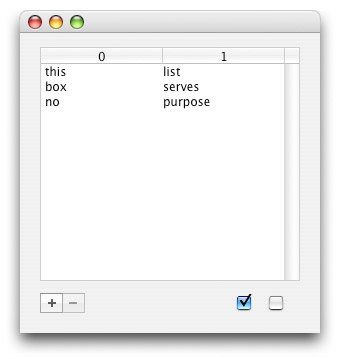
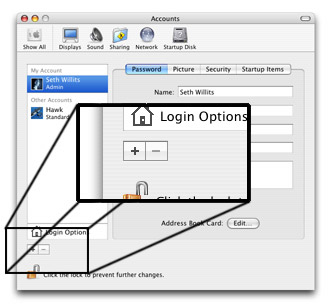
You may have noticed these little guys in Apple's newer programs. They're not a standard control and they don't have a real name, so I've aptly named them the Add/Remove buttons. These small buttons are simply part of an elegant control which replace giant (and ugly) full sized "Add" and "Remove" buttons found all over the place. Some applications use rounded buttons, some use square bevel buttons, and some apps use their own custom buttons like Apple is doing. The difference is, Apple sets the standard, and the rest of us usually follow. So, in this spirit, this tutorial, well, it's not really a tutorial, it's just a "here, look what I made" page, you're going to get your hands on a custom class I made for REALbasic that implements these controls, and implements them quite well if I may say so.
Getting The Buttons
The first step is to download the project I've already written. After that, you're done. Yay! I don't see any real need to explain this project step by step since it's simply an application of the techniques learned in the Custom Button tutorials found here on ResExcellence. (Look at the article listing to the left.)
Finished
As I usually say, "Pretty cool, or what?" I hope you guys will start using these in your own Mac OS X applications. I've already put them to use in Freaky Trash Manager and have made them a part of my mucho grande project template which includes every one of my nifty little classes. One of these days I may release that. Anyway, cheerio!