|
Wiggle Window
08-08-03
|
 |
Should you accidentally enter the wrong password while logging onto an OS X machine, you'll notice that the login window wiggles back and forth a few times. In fact, it looks like the login window is shaking its head "NO!" at you. This week we'll look at how to implement this functionality with REALbasic. It turns out that it's very simple to accomplish, so let's get started.
Build the Interface
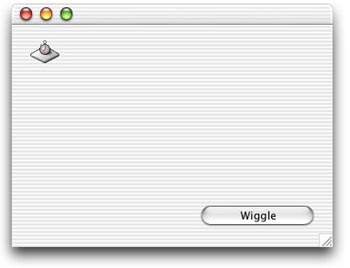
Launch REALbasic and open the default Window1. To this window, add a PushButton and a Timer. Set the Mode property of the Timer to 0 (zero). You can arrange the window however you wish. Mine looks like this:
Add the Code
Open the Code Editor for Window1 and add two properties to the window:
- origx as integer
- wiggle as integer
Next, enter this code in the Action event of PushButton1.
Finally, add this code to the Action event of Timer1.
By clicking the PushButton, you reset some variables that keep track of the position of the window as well as the number of wiggles. Then, the timer starts firing. As the timer fires, it increases the wiggle counter and alternates the position of the window between its two positions. Once the counter exceeds 5, the timer stops. Simple, eh?
Conclusion
That's all there is to it. As usual, you can download the code for this week's project here. See you next time!