image ResEx Logo
ResExcellence www : Powered by Google
Cell Phone Themes Icons Mighty Mouse Cursors Software Reviews Widgets & Widgets

Articles
   3D
   Audio
   Custom Controls
   General RB
   Graphics
   Hacks
   Mac OS X
   Menus
   Novelty
   Printing
   REALbasic 2005
   REALbasic 2006
   Registration
   Resources
   Reviews
   Serial
   Speech
   Sockets
   XML
   Video
Resource Links
News
   Current News
   February 2006
   January 2006
   December 2005
   November 2005
   October 2005
   September 2005
   August 2005
   July 2005
   June 2005
   May 2005
   April 2005
   March 2005


REALbasic for Dummies
by Erick Tejkowski


Learning REALbasic through Applications
by Clayton E., Crooks II


REALbasic for Macintosh
by Michael Swaine


REALbasic Cross-Platform Application Development
by Mark S. Choate


Older files are in Stuffit 5 or greater format. Newer files are ".Zip". Download StuffIt Expander
Tell us about a bad link. Thank You!

Drawing a Simple Gradient by Seth Willits
02-07-04

Printer Version


Drawing a Gradient
There are four very simple parts to the code in this project. 1) choose your starting and ending colors, 2) a loop which iterates for each step of the gradient, 3) the algorithm to determine the color for each step of the gradient, and 4) draw the gradient! Take a look at the code below. Lines 5 and 6? We pick our colors. Yay! Lines 10 and 19? The loop for each step (each vertical pixel). Yay! Lines 13-15? We pick our the color of the current step. Yay! Line 18? We draw the step of the gradient. Yay!

Sub Paint(g as graphics)
    dim i as integer, ratio, endratio as Double
    dim StartColor, EndColor as Color

    // Pick our colors
    StartColor = RGB(255, 0, 0)
    EndColor = RGB(0, 0, 255)


    // Draw the gradient
    for i = g.Height DownTo 0

        // Determine the current line's color
        ratio = (i/g.Height)
        endratio = ((g.Height-i)/g.Height)
        g.ForeColor = RGB(EndColor.Red * endratio + StartColor.Red * ratio, EndColor.Green * endratio + StartColor.Green * ratio, EndColor.Blue * endratio + StartColor.Blue * ratio)

        // Draw the step
        g.DrawLine 0, i, g.Width, i
    next
End Sub

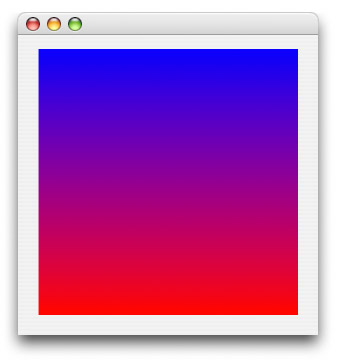
The Finished Product
That's all there is to it! I know it was a pretty short tutorial compared to some others I've done. Sue me! :^) On average they're longer than Erick's! lol. I just thought this up a few days ago anyway. I've never drawn a gradient before. I'm trying to imagine how you would do completely dynamic radial and angled gradients. That'd be cool. Well, with what's above you can easily do simple gradients like the Finder does in the Places sidebar. Anyway, you can download the project here.


Cell Phone Themes Icons Mighty Mouse Cursors Software Reviews Widgets & Widgets

Maintained by the Staff of ResExcellence. This entire site ©1997-2006 ResExcellence
Privacy Statement? Sure we gotta Privacy Statement. [an error occurred while processing this directive]