






 |
 |
 |
|
 |
||
 |

Articles 3D Audio Custom Controls General RB Graphics Hacks Mac OS X Menus Novelty Printing REALbasic 2005 REALbasic 2006 Registration Resources Reviews Serial Speech Sockets XML Video Resource Links News Current News February 2006 January 2006 December 2005 November 2005 October 2005 September 2005 August 2005 July 2005 June 2005 May 2005 April 2005 March 2005  REALbasic for Dummies by Erick Tejkowski  Learning REALbasic through Applications REALbasic for Macintosh REALbasic Cross-Platform Application Development 
Older files are in Stuffit 5 or greater format. Newer files are ".Zip". Download StuffIt Expander |

|
 
This demo is a shameless ripoff of a cool tip at Dr. Mac's site. Visit his site to see the original tip and come back here when you're done. Build the Interface 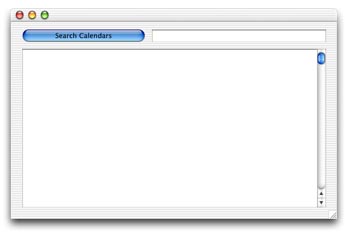
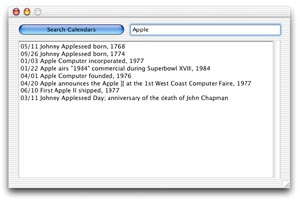
Add the Code When you do a search with this little utility, make sure to only enter one word at a time. If you want to search for multiple words, you need to modify your execute string to include additional grep statements. Again, check out Dr. Mac's site to see how he searches for "Apple" and "founded" at the same time. Here's the results after searching for Apple. 05/11 Johnny Appleseed born, 1768 Conclusion |
 |
||
 |
 |
 |
|
 |




 Did you know that your Mac OS X installation has some informative calendar trivia built-in? In the /usr/share/calendar/ folder, you'll find a handful of files that hold useful tidbits of information about holidays, computers, history, and more. This week, we'll look at how to search through the data in those files.
  |
 |
 |
||||||||||||||||||||||||||||||
 |
|
 |
||||||||||||||||||||||||||||||
 |
 |
 |
Maintained by the Staff of ResExcellence. This entire site ©1997-2006 ResExcellence
Privacy Statement? Sure we gotta Privacy Statement.
[an error occurred while processing this directive]