






 |
 |
 |
|
 |
||
 |

Articles 3D Audio Custom Controls General RB Graphics Hacks Mac OS X Menus Novelty Printing REALbasic 2005 REALbasic 2006 Registration Resources Reviews Serial Speech Sockets XML Video Resource Links News Current News February 2006 January 2006 December 2005 November 2005 October 2005 September 2005 August 2005 July 2005 June 2005 May 2005 April 2005 March 2005  REALbasic for Dummies by Erick Tejkowski  Learning REALbasic through Applications REALbasic for Macintosh REALbasic Cross-Platform Application Development 
Older files are in Stuffit 5 or greater format. Newer files are ".Zip". Download StuffIt Expander |

|
 
When you use the REALbasic Listbox control, sometimes it's nice to offer an "auto-find" feature. As you press keys on the keyboard, the Listbox should attempt to locate any rows that display text that matches the pressed keys. The REALbasic Listbox doesn't perform this functionality, but it's not difficult to implement it yourself. This week we'll show you how. Prep
Build the Interface 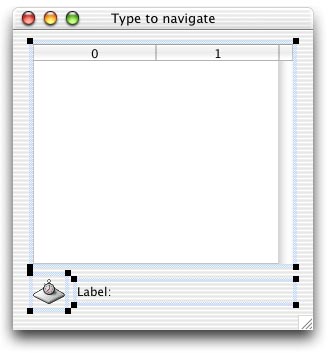
Add the Code Then, add the following code to the KeyDown event of the Listbox. This is where we track the keys that a users presses. As they press keys, we keep a running sequence of those keys. We also check to see if there is a match in the list using the LocateState method. Listbox1.KeyDownNext, add a little code to the Action event of Timer1. This resets the sequence of keypresses once every 2 seconds. Timer1.ActionFinally, add the code for the three methods you created earlier. One method does the search for a match between keypresses and the Listbox contents. The other two methods populate the Listbox with state and capital names. LocateStatePopulate States PopulateCapitals Conclusion |
 |
||
 |
 |
 |
|
 |




 |
 |
 |
||||||||||||||||||||||||||||||
 |
|
 |
||||||||||||||||||||||||||||||
 |
 |
 |
Maintained by the Staff of ResExcellence. This entire site ©1997-2006 ResExcellence
Privacy Statement? Sure we gotta Privacy Statement.
[an error occurred while processing this directive]