






 |
 |
 |
|
 |
||
 |

Articles 3D Audio Custom Controls General RB Graphics Hacks Mac OS X Menus Novelty Printing REALbasic 2005 REALbasic 2006 Registration Resources Reviews Serial Speech Sockets XML Video Resource Links News Current News February 2006 January 2006 December 2005 November 2005 October 2005 September 2005 August 2005 July 2005 June 2005 May 2005 April 2005 March 2005  REALbasic for Dummies by Erick Tejkowski  Learning REALbasic through Applications REALbasic for Macintosh REALbasic Cross-Platform Application Development 
Older files are in Stuffit 5 or greater format. Newer files are ".Zip". Download StuffIt Expander |

|
 
In this week's REALbasic tutorial, we'll take a look at how to create a Listbox that mimics those pretty blue-and-white lists in iTunes.  Build the Interface This week's project is very straightforward. It will take you about 30 seconds to build, but it shows some important features of the REALbasic Listbox. So, let's get started! Launch REALbasic and open Window1 from the Project window. To this window, add one control - a Listbox. Set ColumnCount to a value of 3 in the Properties Window. That's the whole interface! Source Code The source code for this week's project is simple too. First, we need some code in the Open event of Listbox1. This code snippet adds 20 rows to the Listbox upon launch. Next, navigate to the CellPaint event of Listbox1 and add this code: This code does the colorizing of the rows, including the selection. The graphics object represents the background of the Listbox. You can use it to draw just like you would in a Canvas. The end result looks like this: 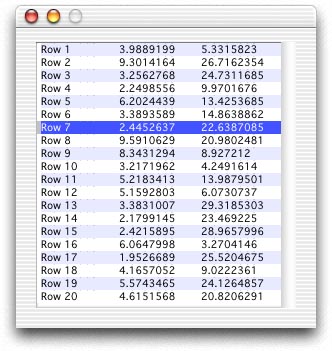 Conclusion To test the project, select the Debug-Run menu. Even though this project is super simple to create, you can download the completed version instead if you prefer. Have fun and see you next week! |
 |
||
 |
 |
 |
|
 |




 |
 |
 |
||||||||||||||||||||||||||||||
 |
|
 |
||||||||||||||||||||||||||||||
 |
 |
 |
Maintained by the Staff of ResExcellence. This entire site ©1997-2006 ResExcellence
Privacy Statement? Sure we gotta Privacy Statement.
[an error occurred while processing this directive]