






 |
 |
 |
|
 |
||
 |

Articles 3D Audio Custom Controls General RB Graphics Hacks Mac OS X Menus Novelty Printing REALbasic 2005 Registration Resources Reviews Serial Speech Sockets XML Video Resource Links News Current News December 2005 November 2005 October 2005 September 2005 August 2005 July 2005 June 2005 May 2005 April 2005 March 2005 February 2005 January 2005  REALbasic for Dummies by Erick Tejkowski  Learning REALbasic through Applications REALbasic for Macintosh REALbasic Cross-Platform Application Development 
Files are in Stuffit 5 or greater format. Free Download |

|
 
In our last REALbasic tutorial, we began creating a project to help you create application bundles. This week, we'll continue with the same project, giving it the ability to add Classic Mac applications (i.e. not Carbon) to the bundle. The result is a bundle that you can double-click in Mac OS 9 or Mac OS X. Build the Interface Since this week's tutorial is a continuation to a previous project, there aren't any interface additions this time. If you missed the last tutorial where we built the interface, you can download it here. 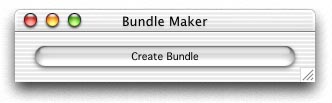 Source Code In Part 1 of the Bundle Builder project, we added some code to the Action event of PushButton1. This time we'll also be adding code to that event. Since there are a number of changes to make, it would probably be easiest if you simply deleted all of the code that is within PushButton1. In its place, add this code: Notice that in the above code, we make two calls: makeAlias and makeAlias2. These method names match the names of two AppleScripts you'll need to add to the project. They are scripts from Matt Neuburg. Matt wrote REALbasic: The Definitive Guide. Once you've downloaded Matt's Alias example, drag the two included scripts into your Bundle Builder project window. So, what's going on here? Like the Carbon application we added last week, a Classic-only version of the application can also be part of your bundle. It must reside in a folder called "MacOSClassic". Our code creates that folder and copies the selected Classic application to it. Finally, we need to add an alias to the Classic application to the root of the bundle. Hence the need for Matt's scripts. Creating this alias causes the bundle's icon to match that of the Classic application in OS 9. Conclusion That's it for this week. Select Debug->Run to test your work. As is the custom, you can download the finished project. See you next week! |
 |
||
 |
 |
 |
|
 |




 |
 |
 |
||||||||||||||||||||||||||||||
 |
|
 |
||||||||||||||||||||||||||||||
 |
 |
 |
Maintained by the Staff of ResExcellence. This entire site ©1997-2006 ResExcellence
Privacy Statement? Sure we gotta Privacy Statement.