| Add Font and Control Strip folders to Apple's Extension Manager
Conflict Catcher is a great utility, but if you would rather spend your money on something else, you can add a little more functionality to Apple's Extension Manager with this simple edit by Karl Baron.
Before proceeding, download the ResEdit template that simplifies the edit. To install the template, open a copy of the ResEdit Preferences and the Template file. Copy all the resources from the template, and paste them into the Preferences. If you have an ID conflict, select the Unique option. Save the new preference file and replace the old one. The next time you launch ResEdit, the template will be installed.
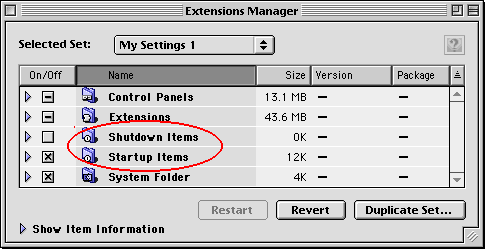
In this example, we will remove the Shutdown and Startup Items, and replace them with Font and Control Strip folders.
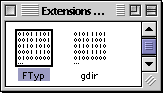 Open a copy of the Extensions Manager in ResEdit and find the FTyp resources. Open a copy of the Extensions Manager in ResEdit and find the FTyp resources.
Open them with a double click.
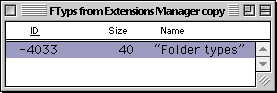 Open ID -4033 Open ID -4033
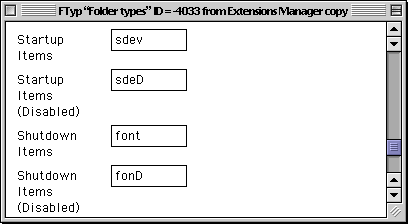
If the template was correctly installed, your window will look similar to the one below. Scroll down and change the four entries for the Startup and Shutdown items as shown.
You are now done with the Extensions Manager. Save your work and close the file.
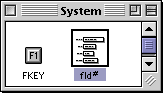 Next, open a copy of the System suitcase. Next, open a copy of the System suitcase.
Find the fld# resources and open them with a double click.
Scroll down to the bottom and add two new items (Command-K). Enter the items as shown below. In MacOS 8.6, the control strips are called Modules. In a previous version, the may have been called Items. If Modules doesn't work for you, try Items.
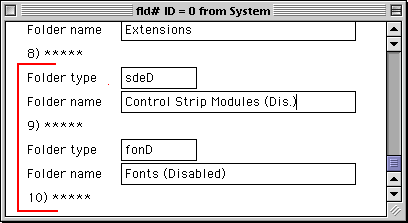
Here are the folder codes for two more options:
cmnu Contextual Menu Items
cmnD Contextual Menu Items (Dis.)
amnu Apple Menu Items
amnD Apple Menu Items (Disabled)
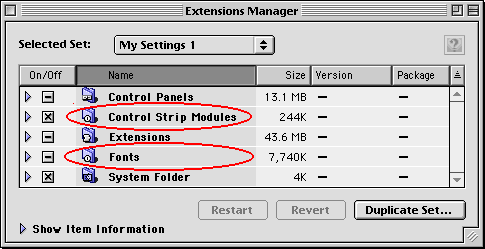
Save your work in the System and quit ResEdit. Replace the original files with the new modified versions and restart your computer. You will now be able to manage your fonts and Control Strip Modules!
Also see these Previous Extension Manager Edits:
Change the package info for Extensions and Control Panels
Protect an Extension Manager Set
Edit the Extensions Manger to show all items
|


