
The Third Window Style
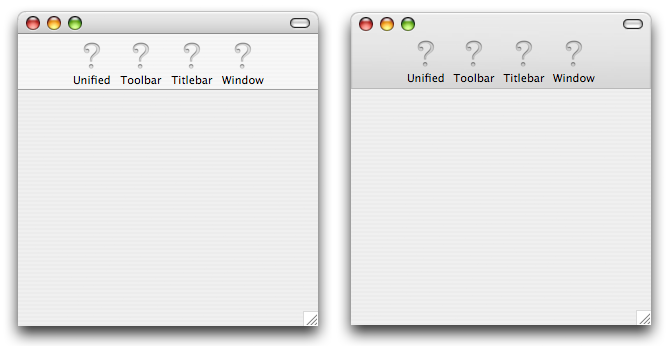
Despite my reservations about the new window style in Tiger, I figured I'd show you how to do it in REALbasic. In the image below, on the left we have our typical Mac OS X Panther styled window, and on the right we have the new Tiger window style, the "Unified Toolbar/Titlebar" window where the gradiant in the titlebar is extended throughout the toolbar.
The Code
Get Ready for this, it's really complex...
Declare Sub ChangeWindowAttributes Lib "Carbon" (win as WindowPtr, setAttribs as integer, removeAttribs as integer)
ChangeWindowAttributes self, 2^7 + 2^11 + 2^18, 0
Yup. That's all of it. Just stick that in the Open event of the window and you'll be good to go. There is one gotcha though. At the moment there appears to be a bug which causes the window background to be white initially. The workaround is simple though. Drag a timer to the window with a single period of 1 millisecond and have it call "self.Refresh". That's it! Most of the time you can't even see the white, but if other stuff is going on in the background, you might.
Finished
Please, whatever you do, don't go adding this to every one of your applications. I think th newe window style is ugly and I'm still trying to get used to it. I'm hoping that Apple will ditch it soon. As always, you can download the project here.