
OpenGL in REALbasic
First, let me just a few things: We won't be implementing Doom 3 in REALbasic through these articles. In fact, if you were looking for anything really cool and fantastic, well, this article surely isn't that, but some later tutorials might be a little more interesting we're going to start off slow, very slow. These articles won't be teaching you OpenGL either, we're only going to touch on how to use OpenGL in REALbasic based on my (few) experiences.
First things first, (or rather second things second since I already did something first) we should all thank Asher Dunn from Fireye Software for writing the spectacularly awesome OpenGL Declare Library. I can't imagine how many hours it took him to do it, but I know the REALbasic community owes him many many thank you's.
If you don't know OpenGL but want to learn it, see the NeHe tutorials. You should be able to do the first few tutorials without any problem using the project from this article.
OpenGL Declare Library
Alright, so what is the OpenGL Declare Library? It's a set of modules that wrap hundreds of constants and functions in OpenGL, GLUT, AppleGL, WindowsGL, and even a few from Display Manger which allow REALbasic developers to use OpenGL directly in REALbasic applications. What does this mean? If you like the idea of 3d in REALbasic but are horrified by having to carry around the Quesa library with your application or turned off by its speed (or lack thereof) relative to how other applications feel, then using OpenGL directly gives you all the flexibility you'd ever need, and nothing left to complain about!
OpenGLView
In these articles (however many there turn out to be), we'll be using a class I've developed called OpenGLView which is mostly a repackaging of the example that comes with the library which hides pretty much everything about setting up an OpenGL context to render in, and simply provides you with a handy Render event where you draw stuff. It's not supposed to be a killer solution that everyone should use, but it's what we're going to use because it works and it makes using the library a piece of cake.
At the moment OpenGLView is a Canvas subclass. This is done for no other reason except for the fact that if I try to make it a pure class then I can easily cause a crash in the OpenGL driver for some odd totally unexplainable reason. I intend to figure out why it's happening and then turn the OpenGLView into a simple class rather than a control (because being a Canvas subclass has absolutely no benefit at all) but for now, who cares, it doesn't make a difference anyway. The important part is what the class does which we'll look at. Oh and also, the declare library is Windows compatible, and so was Asher's example, but this version of OpenGLView isn't because I deleted that code because I Don't Know Jack™ about Windows and didn't want to be responsible for it. Anyway, now on to the good stuff...
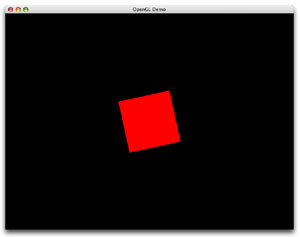
Yes, this is all the project does. It rotates a square.
Setting up the OpenGL Context
OpenGL doesn't know what a window is. Instead, it renders into a context, which is simply a chunk of the screen and a whole lot of fancy stuff in memory that you'll never ever see. An OpenGL context has what is called a pixel format, which describes such things as the type of colors we're going to use (how many bits, whether there's an alpha channel...), whether the context is double buffered, the depth and more. A context is eventually associated with a window in one form or other, but this is done using one of the platform-specific libraries like AppleGL (AGL) or WindowsGL (WGL). So before we can use OpenGL we need to setup a context that OpenGL can draw into by creating a pixel format, creating a context, attaching the context to a window using AGL.
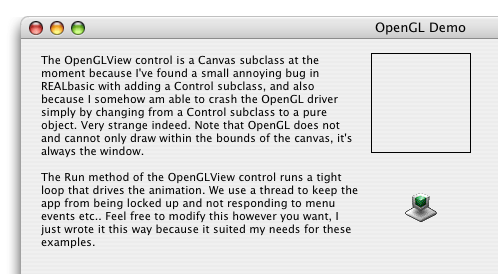
Above we see that the first thing done is creating a pixel format. Below you can see that we fill a memory block with flags describing the pixel format we want to create, then we select the pixel format using aglChoosePixelFormat. Normally these flags are sent as an array to aglChoosePixelFormat but we can't do that with REALbasic so we use a memory block on pass a pointer to it, which is all passing an array really does. If you're not familiar with how all of this setup is done, there are a couple places on the net that will explain it better than I am here. Namely, try the #idevgames IRC room and ask, visit the iDevGames website, possibly the mac-games-dev mailing list... there are numerous places to go.
If the pixel format isn't selected properly, we bail out of the SetupContext method by returning false which prevents anything from being rendered later on. If it is, the context is created and then we attach it to a window by using aglSetDrawable. The MacGetWindowPort method takes a REALbasic Window and returns the window's port (it's a low level Window Manager thing). Passing it to aglSetDrawable tells the links the context to the window. aglSetCurrentContext selects the context so that any calls to OpenGL work with that context and not any other and then we do some stuff that you don't need to concern yourself with.
The Animation
Again, I'm not really trying to teach you this stuff, I just want to show it to you. Learning it is a whole other story that I'm not up to writing. Ok, so the interesting part is running the animation. In OpenGLView this is done using the Run method. The Run method runs a tight loop that does some of the standard things that are required or usually done before animating and during every frame. In a nutshell, it's all the tedious stuff no one likes doing. Towards the bottom of the method however, right before we swap the buffers, we call the Render event of the OpenGLView and pass a fractional value in seconds which is the time since the last call to the Render event. This bit of "coolness" simply lets you drag and drop an OpenGLView onto a window and start coding the actual object drawing code, kind of like an NSOpenGLView in Cocoa.
Sub Run()
dim LastTime as Double
...
// Set LastTime Start
LastTime = Microseconds
while not mDone
...
// Render Objects
Render((Microseconds - LastTime) / 1000000)
LastTime = Microseconds
// Swap the Buffers
aglSwapBuffers(mContextHandle)
wend
End Sub
And here, below, is the ultimate goal: The only small bit of code that we really need to write if we use the the OpenGLView. This draws a red square and rotates it. Pretty simple stuff.
Finished
Okay, so the project is extremely boring, but it's a necessary step into doing anything more interesting. And we've got something more interesting on the way so it'll be worth it. Here's a hint at what's coming next: MD2. Have fun figuring that out. :^) As always, you can download the project here.