Generic Introductory Rant
Is it just me or is it a humongous pain to make sure you have the latest software? You have to go looking all over the web visiting all of those sites just to look at a couple of numbers. For large software products like Adobe's or BBEdit, the programs themselves make sure they're up to date, and for Apple's software we have Software Update, but good luck remembering all of the sites where all of those little apps came from. Of course there are sites like VersionTracker and Tucows, but half the time they're not even up to date themselves. It's not their fault because sometimes the developer doesn't update it because they're lazy (I'm a perpetrator myself here), or sometimes they might not even know they're application was listed in the first place (I've been a victim several times)! There must be a solution. Well my friends, there is. MacPAD is here.
What is MacPAD?
MacPAD is a Mac-specific format of the PAD (Portable Application Document) format. A PAD file is essentially an XML file with pre-defined tags which are used to define an application and track it as new versions come out. The MacPAD format is simply a plist file with a few tag differences than its pure PAD roots. Mac-specific tags are added, and, from what I understand, redundant information has been removed.
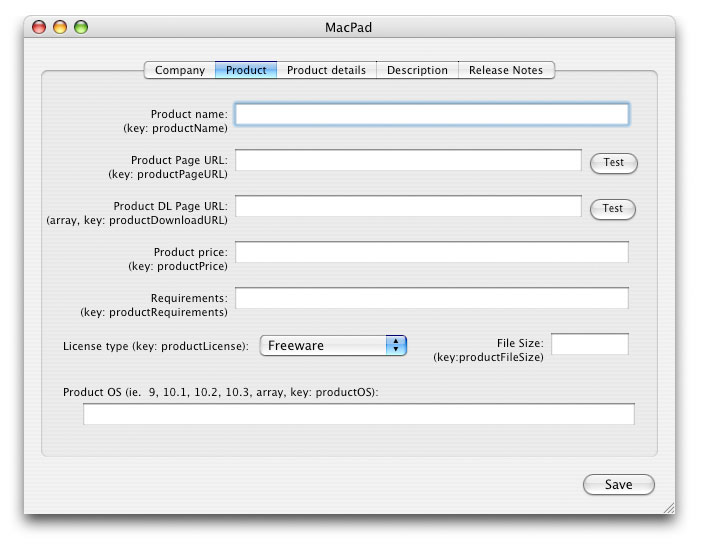
To use a MacPAD file, all you have to do is fill out a few simple fields in the MacPAD application in the MacPAD SDK and then upload it to your webserver. From there, you would then submit the link to your MacPAD file once to all of the websites which support MacPAD. From then on, when you update your application, you would update your MacPAD file upload it to your webserver again and then all of the websites you submitted the link to would automatically update as you change your application. Pretty spiffy! Now the only downside is that at the moment there's only one site, MacShareware.net, supporting the MacPAD format, but this is believed to change over time.
However, don't be discouraged by this because there is a use beyond the simply amazing automation that it offers. You can also you use the MacPAD format and the example code in one of four languages (C, PHP, REALbasic, and Cocoa) to do your own version-checking and inform the user when your application is updated by checking whenever your application is opened.
Design
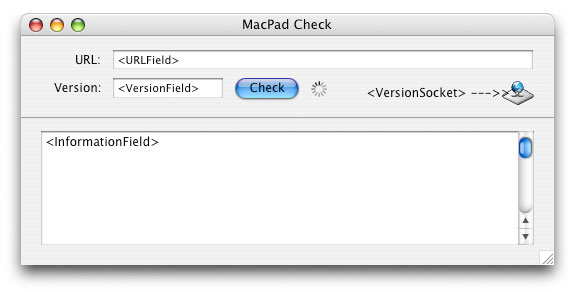
To use MacPAD in your own applications is extremely easy thanks to the code (written by Kevin Ballard) that is in the MacPAD SDK. We'll demonstrate its easy by creating our own project. Simply drop the single class into the project window and create an interface simlar to that below where <XXXXX> is the name of the appropriate control.
The Few Lines to Use It
Asking for the latest version of the software is very simple. The MacPADVersionCheckSocket class has a CheckVersion() method which simply needs a string for the MacPAD file's URL, and a version number string in the traditional x.x.x format. (It even handles numbers like 1.0b2 correctly!) So go ahead and drop that code into the Check button:

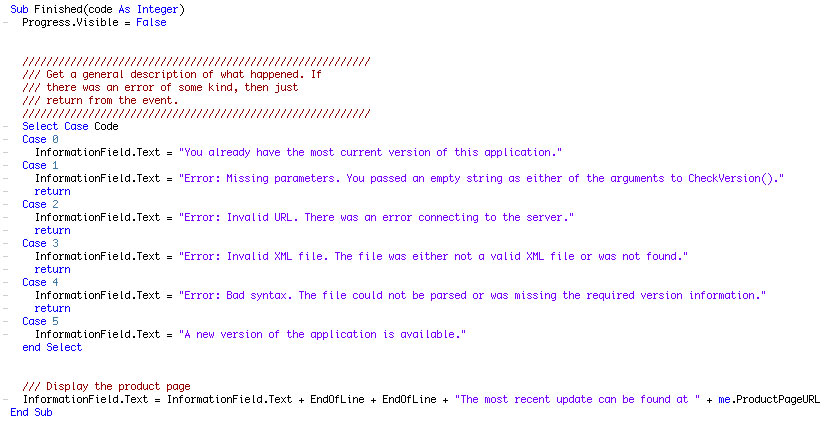
The last step is to handle the result of the check via the VersionSocket's Finished event.
(Click on the code for a full size image)
All that this code does is handle the different result code values (0-5) and display the appropriate information in the information field. There are a few other methods in the VersionSocket that can be used to retrieve useful information. They include:
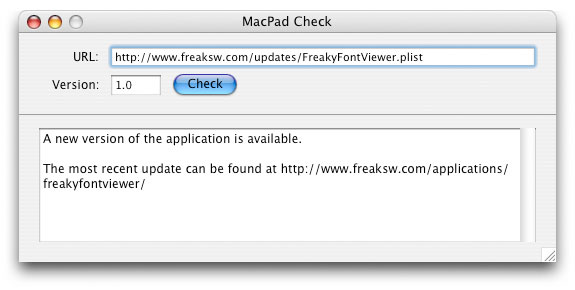
The Finished Product
I hope you will adopt the MacPAD format in your current and future applications. The code already exists to use it, so why not? You application becomes smart, it streamlines your own work, and you're contributing to the greater good of mankind. Maybe... Anyway, you can download the project here. Happy updating!