
In this tutorial, we're going to create a listbox which displays a contextual menu when an item is control or right-clicked on since this behavior is often used in applications and if you're not using it, you probably could be! If you've never used a contextual menu before, you'll be amazed how simple it is to implement them.
Begin by creating a new project with a listbox in the window and a contextual menu. The listbox should contain some default items like the example below does.
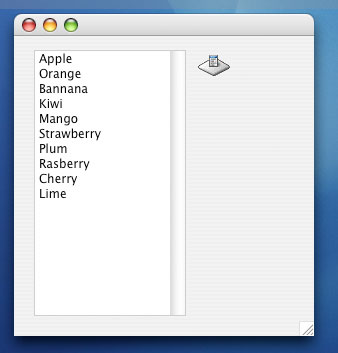
Contextual menus are used through 3 simple steps. The first, is when a mouse click occurs, check if the click was a contextual menu click (CMM click) using the global IsCMMClick() function. If IsCMMClick() returns true then either the click was a control-click or a right mouse button click and you'll need to display the menu by calling the contextual menu's Open() method. The Open() method synchronously displays the menu waiting for the user's choice until the next line of code executes.
The last step is handling the user's choice which is done via the Action event which is fired when the user actually clicks on an item in the menu. If the user clicks outside of the bounds of the menu and in consequence does not select any menu item, then the Action event is not fired. The item As String paramter to the event is the text of the menu item's title which was chosen. Using a Select statement as below is usually the easiest way to handle the selection.
Sub Action(item As String)
   Select case item
   case "MsgBox"
      MsgBox ListBox1.Cell(Listbox1.ListIndex, 0)
   case "Title"
      self.Title = ListBox1.Cell(Listbox1.ListIndex, 0)
   case "Remove"
      ListBox1.RemoveRow Listbox1.ListIndex
   end Select
End Sub
The code above will determine which menu item was chosen (MsgBox, Title, or Remove) and then take the appropriate action. Menu items are created just like popup menus:
Sub Open()
   me.AddRow "MsgBox"
   me.AddRow "Title"
   me.AddSeparator
   me.AddRow "Remove"
End Sub
To handle the click, we'll use the CellClick event of the listbox since it's the only event which lets know when a row is clicked on. We use the IsCMMClick() method as I said but notice that I also set the ListIndex of the list. The reason for this is that REALbasic doesn't update the ListIndex and redraw the row to show it is selected until after this event and all others (like the Change event) have been fired. To work around this, we force the change and an update.
Function CellClick(row as Integer, column as Integer,
                   x as Integer, y as Integer) As Boolean
   if IsCMMClick then
      me.ListIndex = row
      me.Refresh
      ContextualMenu1.Open
   end if
End Function
That's it. Pretty simple eh?