
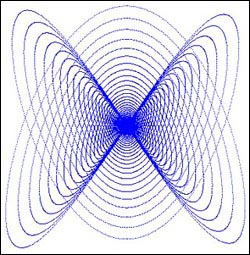
This week we'll play around with some fun graphics patterns called Lissajous Figures. Besides being fun to watch, this project is also really easy to create. Most people can complete it in about 10 minutes. So, let's get started!
Build the Interface
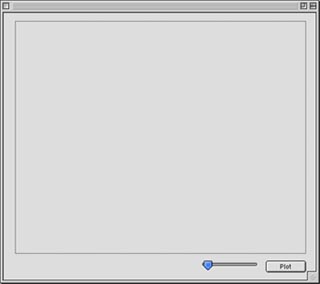
This week's interface is really simple to create: one PushButton, one Canvas, and one Slider. When you add them to a window, leave their default names as is. (i.e. PushButton1, Canvas1, and Slider1).
Arrange the interface any way you want. An example might look like this:
Source Code
Before you get started with the code for this project, you'll need to make a number of properties. Open the Code Editor for Window1 and add the following properties using Edit-New Property:
The code this week is adapted from an existing Chipmunk BASIC project available here. Double-click PushButton1 and add the following code to its Action event:
rad = 3.14159271180
r = 180
t = 90
f = 0
canvas1.graphics.foreColor=rgb(0,0,0)
canvas1.graphics.fillrect 0,0,500,400
while r > 1
x = sin(t*rad*2)*r
y = cos(t*rad*3)*r
plot
t = t+slider1.value110
r = r*0.99991
wend
Next, create a new method named Plot by choosing Edit-New Method. To this method, add the following code:
x=x+250
y=y+200
if f=0 then
canvas1.graphics.pixel(x,y)=rgb(255,255,0)
else
canvas1.graphics.foreColor=rgb(255,255,0)
canvas1.graphics.DrawLine x,y,x-250,y-200
end if
Conclusion
That's it for this week. Select Debug->Run to test your work. Try playing around with the various numbers in the source code to see what results you can produce. With a few more lines of code, you could save this picture for use as a nifty desktop image or for some other task. If you don't feel like creating the project by hand, you can download the finished project. See you next week!