
 This week we'll build a video surveillance application. It's great fun for spying on your kid sis, keeping an eye on your toddler, or watching the sunset... all without leaving your computer. Not only is it fun and useful, but it's also really easy to get started with video in REALbasic. We'll show you how!
Preparation
 There's a new video and audio capture plug-in on the block: BESTCapture Plug-in from BEST Software Design. Visit their site and download the demo version of the plug-in. It is a commercial product, but the demo is fully functional with the exception of a nag screen. Once you have downloaded the plug-in, place it in the Plugins folder of REALbasic.
Build the Interface
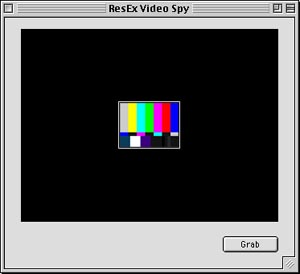
Launch REALbasic. Open Window1 and add a BESTCapture Control to the window from the Toolbar. In the Properties window, turn on the Preview and EnableVideo properties by clicking them. Next, add a PushButton to the window. Arrange the interface to your liking. An example in OS 9 might look like this (this plug-in is OS X compatible too!):
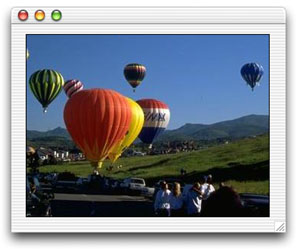
Close Window1 and create a new window by selecting File-New Window. The new window will be named Window2, but you don't have to do anything more to it. Simple, eh?
Source Code
Open Window1 again and double click PushButton1 to open the Code Editor. To its Action event, add the following code:
dim p as picture
dim preview As Window2
dim d as date
p = BESTCapture1.grabPicture(32)
if p<>nil then
preview = new Window2
preview.backdrop = p
d=new date
preview.title = d.longdate
preview.width=p.width
preview.height=p.height
end if
Believe it or not, that's it! Select Debug-Run to test your code. If all goes well, you should see video when you launch the project. Keep in mind that you will need to have some kind of video source connected to your Mac for this to work. If you encounter troubles and still aren't seeing video as expected, check out the ShowVideoSettings method in the documentation for the plug-in.
Conclusion
That's all for this week. You can download the completed project. Have fun playing with your new toy and see you next week!