
Get a Free Brush Buddy with orders over $50

|
|
Deleting Apple's Themes and patterns from the Appearance Control Panel.
In MacOS 8.5, I like the way Apple consolidated the settings in the Appearance Control Panel, but they sure made it difficult to delete their preconfigured Themes and Desktop Patterns.
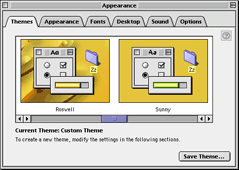 Opinions may differ, but I image there are Themes that you look at and say, "Yuck, I'd never use that!" Opinions may differ, but I image there are Themes that you look at and say, "Yuck, I'd never use that!"
Unlike the user saved Themes, the original Apple supplied ones cannot be deleted from the Edit Menu.
The same is true for the Desktop Patterns.
Here's how to get rid of them using ResEdit.
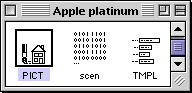 Open a copy of the Apple Platinum Theme in ResEdit. Open a copy of the Apple Platinum Theme in ResEdit.
(It's in System Folder-->Appearance-->Theme Files)
Find the PICT resources and open them with a double-click.
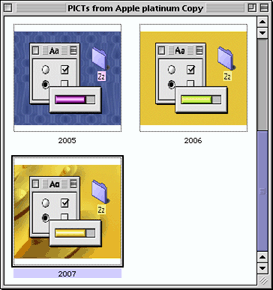
These are the preview pictures for the Appearance Control Panel.
You may delete some, or all the unwanted Themes.
Jot down the ID numbers below each picture for later reference.
After deleting the Themes you no longer want, you can close the PICT resource window.
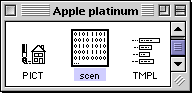 Now find the scen resources and open them with a double-click. Now find the scen resources and open them with a double-click.
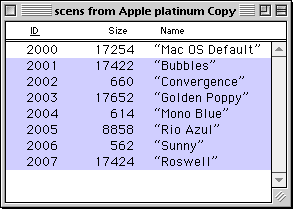 Delete the resources that have ID numbers matching the PICT's that you deleted in the previous step. Delete the resources that have ID numbers matching the PICT's that you deleted in the previous step.
When you're finished, close the Platinum Theme file and replace the original.
The unwanted Themes will no longer appear in the Control Panel.
If you would also like to remove unwanted Apple supplied desktop patterns, continue to the next step.
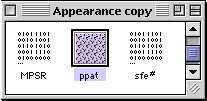 Open a copy of the Appearance Control Panel in ResEdit. Open a copy of the Appearance Control Panel in ResEdit.
Find the ppat resources and open them with a double-click.
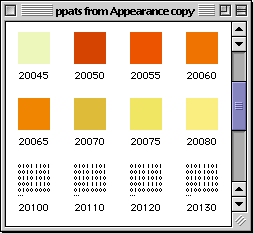
Since the ResEdit provides an editor for ppats, they display as icons.
Unfortunately, some of the patterns supplied by Apple are non-standard, so they display as generic binary icons.
You can't tell what they are!
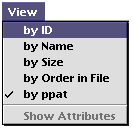 To make it easier to tell what the ppats are, you can view them by name after selecting the "by ID" option from the View menu. To make it easier to tell what the ppats are, you can view them by name after selecting the "by ID" option from the View menu.
The pattern wil now be listed by the same name that is displayed in the Appearance Control Panel.
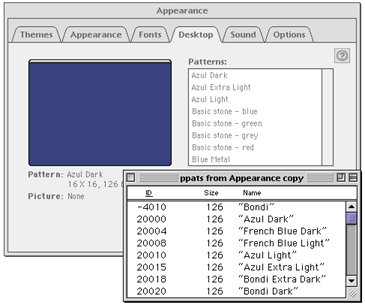
If you open the original Appearance Control Panel, and use it to compare the names with the list in the open copy in ResEdit, it's easier to delete the names that you no longer want.
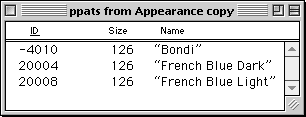 After deleted the Desktop Patterns (as you see, I only liked a few of them!), save your work and quit ResEdit. After deleted the Desktop Patterns (as you see, I only liked a few of them!), save your work and quit ResEdit.
Replace the original Appearance Control Panel with the newly modified one, and you're done!
|
|


