| Increase the memory Partitions in hidden applications.
After updating to MacOS 8.6, users of Speed Doubler experienced system crashes. The unsanctioned solution was to increase the extension's memory partition with ResEdit.
I run several hidden background extension processes and have had random crashes, so I though I'd look into increasing the memory on all of them. Here's what I did.
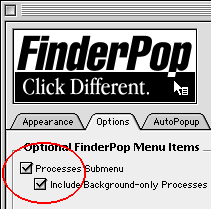 To find out which background processes are running, I used a feature of FinderPop. To find out which background processes are running, I used a feature of FinderPop.
Under Options, check Process Submenu and Include Backgroud-only Process.
There are probably many ways to view these hidden apps. RAMDouble and Peek-a-Boo are two other options.
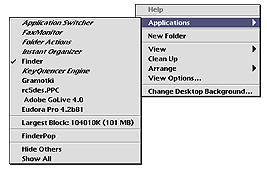 In FinderPop, hidden apps are in italic: In FinderPop, hidden apps are in italic:
- Application Switcher
- FaxMonitor
- Instant Organizer
- KeyQuencer Engine
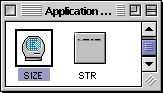 As an example, we will start by increasing the memory partition used by the "Application Switcher". As an example, we will start by increasing the memory partition used by the "Application Switcher".
Open a copy of the extension in ResEdit and open the SIZE resource
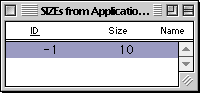 In all of the extensions I modified, there was always only one ID, number -1. In all of the extensions I modified, there was always only one ID, number -1.
Open it with a double-click.
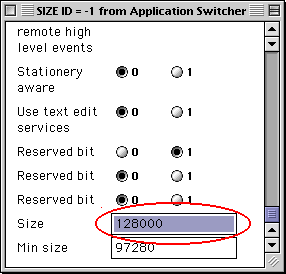 Scroll all the way down to the bottom of the ID and increase the Size value. Scroll all the way down to the bottom of the ID and increase the Size value.
I arbitrarily chose to increase the memory partitions in all my hidden extension apps by roughly 30%.
The result? The random freezing that I was experiencing after updating to MacOS 8.6 has disappeared. While your results will vary, don't worry, performing this edit will do no harm.
|


