Put a Submenu up on the Menu Bar by Anders Hagborg
Do you feel that in some programs you're constantly digging for a submenu? This edit allows you to take most submenu items and move them up to the main menu bar for easier access.

In this example, I would like to move the Size submenu up onto the menu bar between Special and Window.
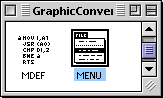 Open a copy of GraphicConvertor with ResEdit and find the MENU resources. Open a copy of GraphicConvertor with ResEdit and find the MENU resources.
Open them with a double-click.
 Right now, the Size submenu resides in the main Picture menu, so find the Picture menu (ID# 131) and open it with a double click. Right now, the Size submenu resides in the main Picture menu, so find the Picture menu (ID# 131) and open it with a double click.
On the left side, select the Size submenu. Notice the ID is 137 (circled in red).
Close ID# 131, we will not delete the Size submenu because it could confuse the MENU resource by changing the placement of all the items below it. We only needed the ID number.
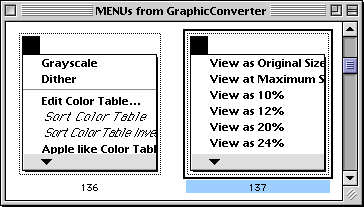
Scroll through the MENU ID's and find ID# 137
(it has no name).
Open it with a double-click.
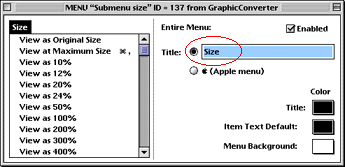
Under its title, name it Size.
We are done with this ID. You can close it, and the MENU resource window.
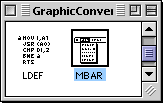
Next, scroll to the MBAR resource and open it with a double-click.
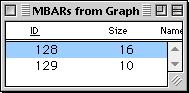 Resource 128 stores the ID numbers of the MENU's that get place in the Menu bar Resource 128 stores the ID numbers of the MENU's that get place in the Menu bar
Open ID# 128 with a double-click.
 Scroll down to item 7, and select it with a single click (area marked in red). (Item 7 represents MENU resource 133, the Special menu.) Scroll down to item 7, and select it with a single click (area marked in red). (Item 7 represents MENU resource 133, the Special menu.)
Once selected, chose the ResEdit menu item "New Resource" ( Command-K).
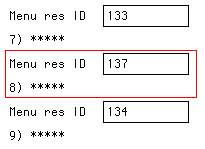
This inserts a blank number after 7.
In position number 8, enter 137, the MENU ID for the new Size menu.
Save your work, and quit ResEdit. The next time you launch the program, the menu bar will have the additional item, like the one pictured below.

This edit should work on a wide range of programs, and may only be limited by your screen size! |


