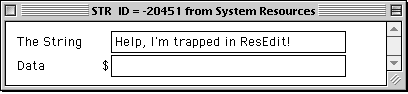
Change the name of the Help menu.
(for MacOS 9.x, see the image at the bottom)
This edit features the Kaleidoscope Scheme, Atlantis, by Andrew Bartlett.
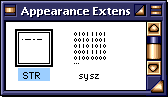
Open a copy of the Appearance Extension in ResEdit and scroll down to the STR resource.
Open STR with a double-click.
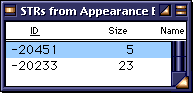 ID# -20451 is the first resource listed. ID# -20451 is the first resource listed.
Open it with a double-click.
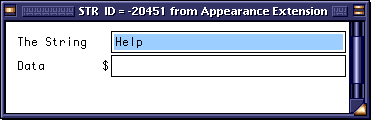
The only text in the ID is the word Help. Change it to whatever you would like, even a question mark will work, though I suggest you enter <space>?<space> to keep the menu from looking like Special? :)
Onder MacOS 9, the Help string has been moved into the System Resources folder. Look for it there.
Save your changes and quit ResEdit.
 Replace your current copy of the Appearance Extension with the revised one, and Restart your computer. Replace your current copy of the Appearance Extension with the revised one, and Restart your computer.
Your Mac will no longer cry out for Help!
|