
Get a Free Brush Buddy with orders over $50

|
|
Add a Command Key for the Finder's Sleep Command.
At first, I thought this edit would only benefit Powerbook owners, but then I remembered that many of the Energy Compliant PowerMacs now have a Sleep command.
These screenshots feature Michael Martin's Kaleidoscope scheme,
Anodized Case.
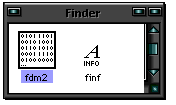
Open a copy of the Finder with ResEdit and scroll down to the fdm2 resources.
Open them with a double-click.
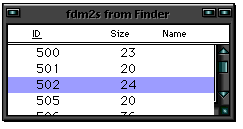
Find ID# 502 and open it with a double-click.
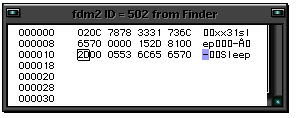 Highlight the character three positions before the word Sleep, as I've done in graphic on the left, and enter the key you would like to use as a Command Key. Highlight the character three positions before the word Sleep, as I've done in graphic on the left, and enter the key you would like to use as a Command Key.
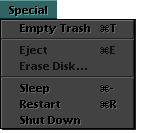 In this example, I chose the minus sign (-). In this example, I chose the minus sign (-).
Save your work and quit ResEdit. Replace the old Finder with the modified copy, and ReStart the computer.
You can now say, "Night, night" to your computer with a single keystroke. |
|


