

|
|
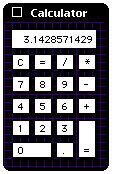
Put the Utility Pattern back in OS 8
Under System 7.x, you could set a background pattern for system utilities with old Desktop Patterns control Panel.
With OS 8 and the arrival of Desktop Pictures that feature was lost.
Here's how to get it back.
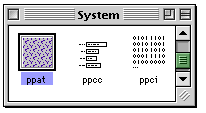 Open a copy of the System Suitcase in ResEdit and scroll down to the ppat resources. Open a copy of the System Suitcase in ResEdit and scroll down to the ppat resources.
Open them with a double-click.
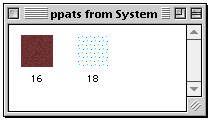 Your ppats may look different than mine, so don't worry. Your ppats may look different than mine, so don't worry.
You need to add a new resource with Command-K.
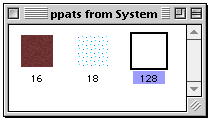
The ne resource, it will be numbered 128. You need to change that. Do it "Getting Info...", Command-I.
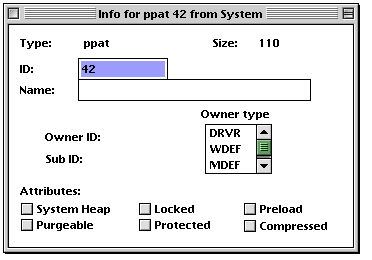
All you need to do here is change the ID from 128 to 42, then close the widow.
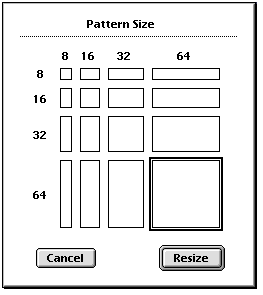 From the menu bar, select From the menu bar, select
ppat-->Pattern Size
and select the 64x64 square.
Click on Resize to close the window.
Reopen ppat ID#42 and paste in from the Clipboard a favorite desktop pattern. Save the System and quit ResEdit. Replace the old System suitcase (put it in a safe place until you're sure the edit works), and Restart the computer for the change to take effect.
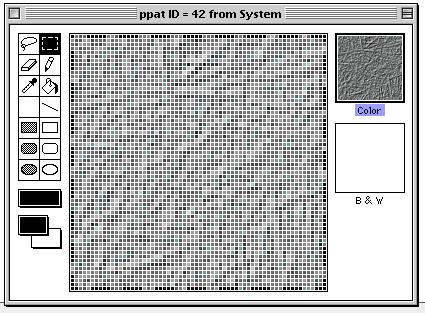
Now when you open a program supporting the Utility Pattern, your windows will look even better!
Have any comments or suggestions for edits? Stop by the Suggestions page. |
|


